
Tátil Design · Rio 2016 Olympics
Rio 2016 City Wayfinding
5,000 signs in 5 months, with artwork generated by code
Overview
The Olympic and Paralympic Games spread across 14 Olympic venues, 8 Paralympic venues and 3 fun fests, over roughly 1,250 km² of Rio. Visitors had to find their way on every kind of public transport in the city, on the last miles and on special buses. That meant about 5,000 signs, produced in 5 months.
Master file
An .indd file holding every variable talks to an Excel sheet with names, codes, templates, glyphs and texts for each piece.
Controlled vocabulary
Every text came from a closed list, with the English translation picked automatically, to cut down on typos.
Signs built by script
.jsx scripts imported the sheet into InDesign and built each sign: image, scale, text, style, color and alignment.
Ready for change
When transport and tourism agencies asked for late changes, the code just ran again.
The process
The Olympics in Rio
- 14 Olympic venues
- 8 Paralympic venues
- 3 fun fests
about 1,250 km² of the Marvelous City
The scale
The Games took over 14 Olympic venues, 8 Paralympic venues and 3 fun fests, spread across roughly 1,250 km² of the city. Every venue needed signs on all the transport that led to it, from stations to last miles.
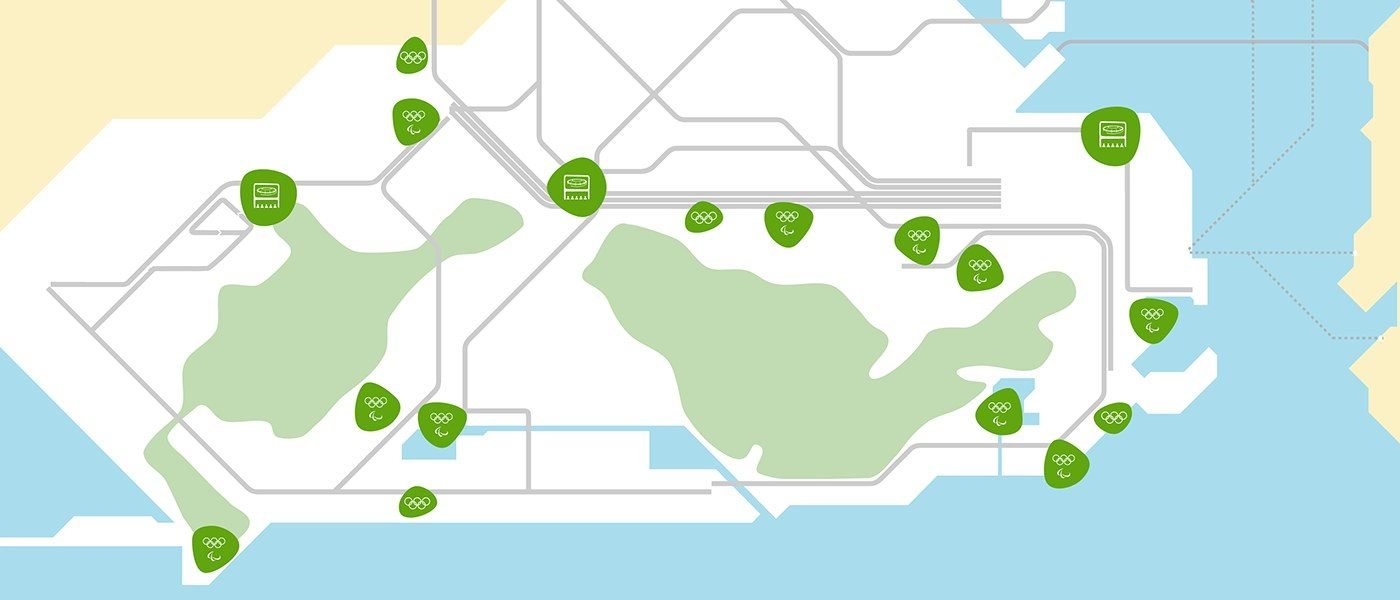
Mapping
We surveyed the stations and routes of each transport mode to the venues.
From need to installation
The process runs through mapping, site visits, information architecture, templates, production, final file and review. Automation came in between templates and the final file: instead of building and finishing the artwork sign by sign, the code delivered the file already closed, and production sped up.
-
01 Templates
A master .indd file with every variable and an .xls sheet with each piece’s name, code, template, glyphs and texts, in a controlled vocabulary.
-
02 Automation
Adobe ExtendScript scripts import the sheet into InDesign and build each sign, row by row:
place imagefit scaleinput textselect stylefill coloralign
-
03 Final file
The code builds the signs, finishes the artwork and closes one .indd per station and route.
-
04 Review
An export script outputs the PDFs, and every file is reviewed before release.
-
05 Production and installation
Once a file is approved, its signs are produced and installed in the stations.
Quick fixes
From review, the fix goes back into the sheet or the script, and the code runs again:
- Setup error fix the script or the sheet
- Client request change the content in the sheet
Automation
With the master file and sheet ready, Adobe ExtendScript scripts built the signs in InDesign and output one .indd per station and route. Every PDF was reviewed before going to production.
When review caught something, the fix was quick: a setup error was corrected in the script or the sheet, and a client request only changed the sheet. Then we just ran the code again.
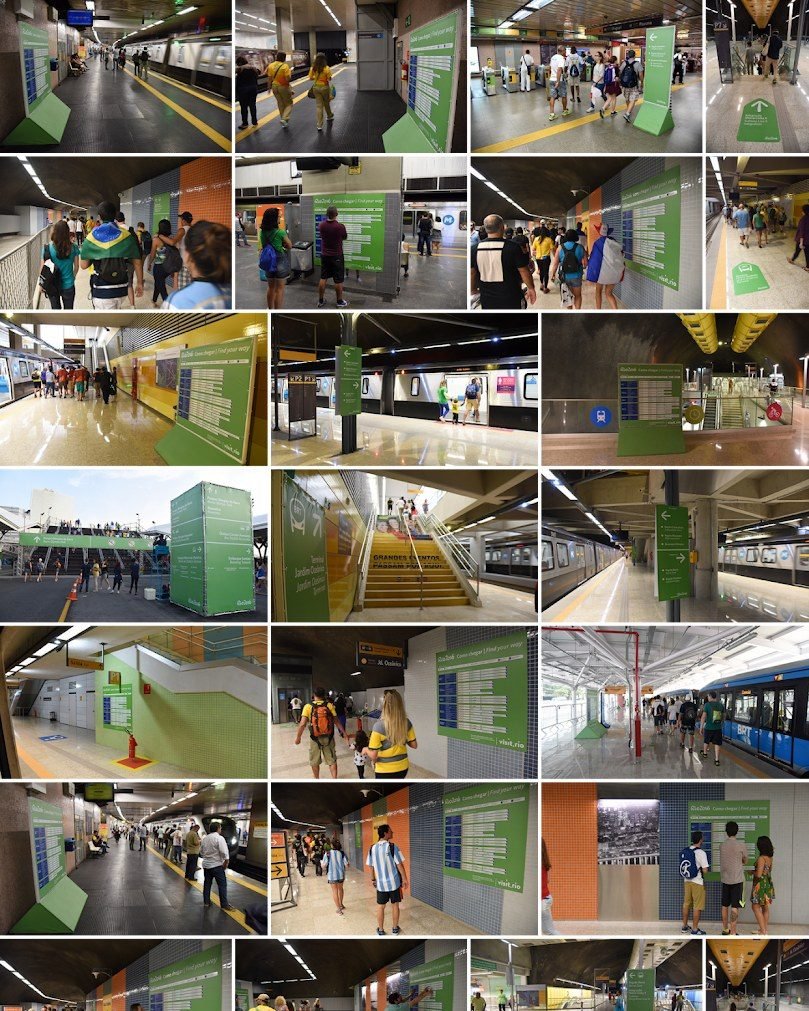
Installed
The signs installed in metro, train and BRT stations during the Games.
Impact
About 5,000 pieces in 5 months, with last-minute changes handled by running the code again.
Credits
- VL design
- Valéria London, Edson Marconi
- Design and wayfinding
- Caio Colin, Eric Aguillar, Anne Santos, Higor Custódio, Felipe Martins
- Tátil
- Henrique Dale, Renata Doria, Noel Rabacov